How to reply to congratulations: 20 examples for LinkedIn, work and messages
What to say when people congratulate you on a new job, promotion, work anniversary, award or personal news — 20 short replies for LinkedIn, email and chat.

To reply to congratulations, thank the person by name, add one personal touch — something about them, the news or what comes next — and keep it to one or two sentences. On LinkedIn, reply to individual comments rather than posting one thank-you to everyone, and like the ones you do not answer. The goal is warmth, not a speech.
The simple formula
- Thank them by name. "Thank you, Priya!" beats "Thanks all".
- Add one personal detail. Something you share with them, or something about the news.
- Optionally, look forward. "Let's catch up soon", "I'll need your advice."
Match their energy. A two-word "Congrats!" can get a two-word "Thank you!"; a long, thoughtful message deserves a real reply.
New job or promotion (6 examples)
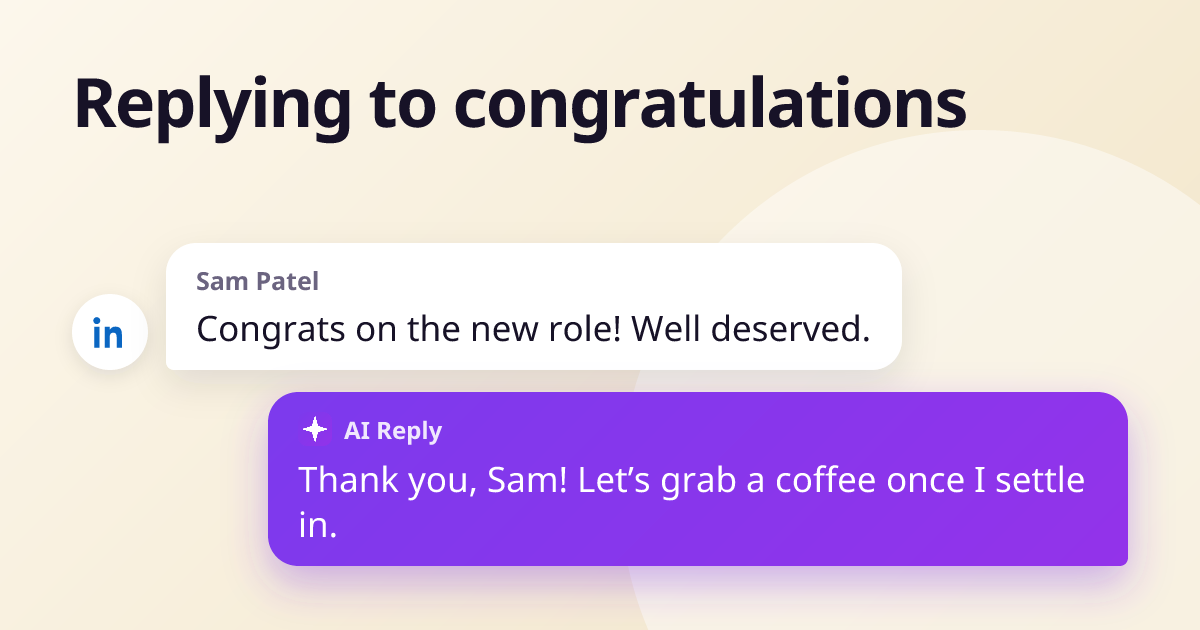
Thank you, Sam! I learned a lot working with you at Acme — let's grab a coffee once I've settled in.
Thank you so much, Rachel. Your support over the last two years made a big difference — I'm grateful.
Thanks, Daniel — much appreciated!
Thank you, Aisha. Our conversations last year are a big part of why I applied. I'll keep you posted on how it goes.
Thank you, Mark! I'll still be your main contact for the rollout, so nothing changes on your side.
Thank you, Lina — appreciate you reaching out. Happy to stay in touch.
LinkedIn work anniversaries (4 examples)
LinkedIn prompts people to congratulate you on work anniversaries, so many of these messages are one tap. A short reply is enough; you do not have to answer every one.
Thank you, Omar! Hard to believe it's been five years.
Thanks, Grace! Still remember your first-day tour of the office.
Thank you, Tom — great to hear from you. How are things at Northwind?
Thank you all for the kind words. Five years in and I still enjoy working with this team every day.
Awards, launches and milestones (5 examples)
Thank you, Hannah! It was really a team effort — Ali and Sara deserve as much credit as I do.
Thank you, James! It's been a long road. If you try it, I'd love your honest feedback.
Thank you, Maria! Glad that's finished — weekends are mine again.
Thank you for the kind words, Leo. We couldn't have reached 1,000 customers without early supporters like you.
Thanks, Chloe — glad it was useful. Let me know if you want the slides.
Personal news (5 examples)
Thank you so much, Usman! We're very happy — and you're definitely on the list.
Thank you, Fatima! We're tired and very happy. Photos soon.
Thank you all for the birthday wishes — you made my day!
Thanks, Ben! Housewarming once the boxes are gone — you're invited.
Thank you, David. I'll miss working with you — you've been a great colleague for twenty years.
Replying on LinkedIn without spending all day on it
- Reply to comments, not with a new post. A reply notifies the person; a new "thank you all" post mostly does not.
- Prioritise. Answer people you know, people who wrote more than one word, and people you want to reconnect with. Like the rest.
- Turn congratulations into conversations. A question back — "How are things at Northwind?" — is how a one-line message becomes a renewed contact.
- Vary your replies. Fifty identical "Thanks!" comments under one post look automated.
If a big announcement brings in dozens of comments, AI Reply Writer can help: its ✦ AI Reply button in LinkedIn's comment and message boxes reads what each person wrote and drafts a short, different reply for each, which you edit and post yourself. It never posts or sends anything on its own. The free plan includes 20 replies a month.
For other LinkedIn messages, see how to reply to a recruiter and LinkedIn connection request messages.
Frequently asked questions
How do you reply to congratulations professionally?
Thank the person by name and add one specific detail, such as a shared memory or what comes next. For example: "Thank you, Sam! I learned a lot working with you — let's catch up soon."
Do I have to reply to every congratulations message on LinkedIn?
No. Reply to people you know and to longer, personal messages, and like the rest. Nobody expects a reply to a one-tap work anniversary message.
What do you say when someone congratulates you on a promotion?
Thank them and, if they helped you get there, say so. "Thank you, Rachel — your support over the last two years made a big difference."
How do you thank everyone for congratulations at once?
Post one short message or comment, such as "Thank you all for the kind words — I am very grateful," and still reply individually to the people closest to you.