Polish this message: how to make any message sound professional (12 examples)
How to polish a message or email so it sounds clear and professional, with 12 before-and-after examples for work email, Slack, LinkedIn and customer replies.

To polish a message, put the point in the first sentence, cut filler and apologies, replace vague words with specifics (a date, a number, a name), and end with one clear next step. Then read it aloud: if a sentence sounds like something you would never say to the person, rewrite it. The examples below show the same fixes on real-looking messages.
The five fixes that polish almost any message
- Lead with the point. The first sentence should say what you need or what happened. Context comes second.
- Cut the padding. "I just wanted to quickly reach out to see if maybe…" becomes "Could you…".
- Be specific. "Soon" becomes "by Thursday". "Some issues" becomes "two errors on page 3".
- One ask per message. If you need three things, number them.
- End with the next step. Who does what, by when.
Polishing is not making a message longer or more formal. Most messages get better by getting shorter.
Work email (4 examples)
Hi, sorry to bother you again, I just wanted to follow up on my previous email about the invoice because I haven't heard anything back yet and wanted to check if there was any update?
Hi Sam, following up on invoice #4471 from 2 September. Could you confirm when it will be paid? Thanks.
The apology and the hedging go; the invoice number and date do the work.
Can we meet sometime next week to talk about the project, there are a few things I want to discuss.
Could we meet for 30 minutes next week to agree the launch date and the budget? Tuesday or Wednesday afternoon works for me.
Says what the meeting is for and offers times.
I won't be able to make the deadline.
I won't make Friday's deadline — the client data arrived a day late. I can deliver Monday by noon. Does that work, or should I send a partial version on Friday?
Bad news with a reason, a new date and an option.
Thanks for the feedback, I'll look into it.
Thanks, Priya — good catches. I'll fix the chart labels and the totals today and send the updated file by 5 pm.
Shows you read the feedback and commits to a time.
Slack and Teams (3 examples)
hey
Hey Ali — do you have 5 minutes today to look at the checkout bug? It is blocking the release.
Never send a bare "hey" and wait — say why you are writing.
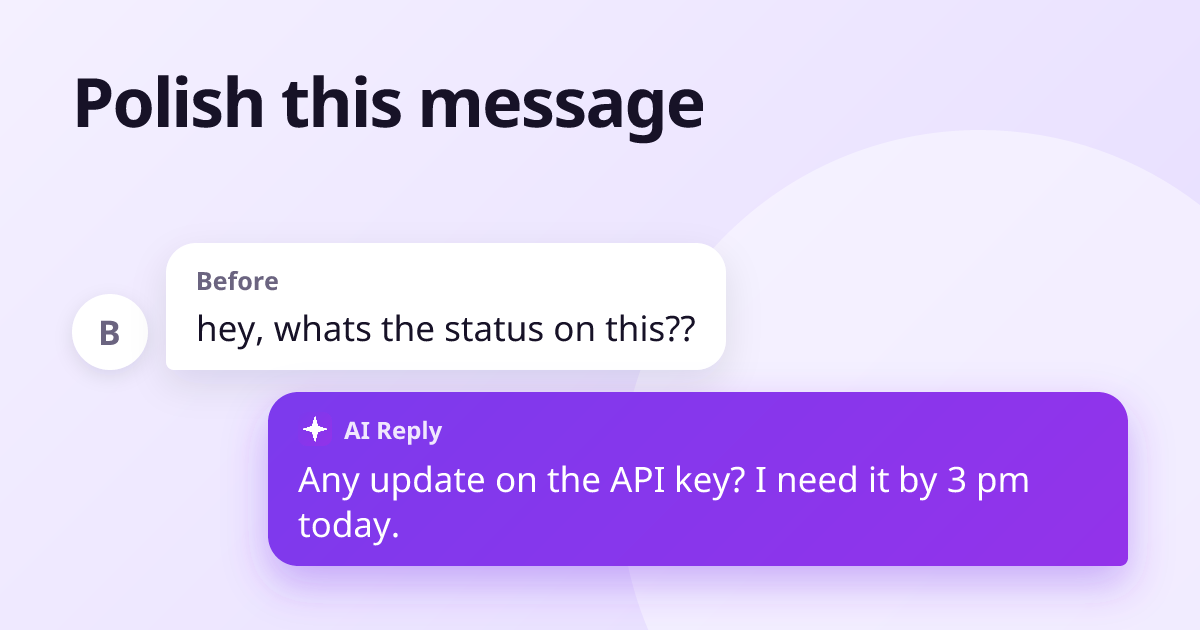
whats the status on this??
Any update on the API key? I need it by 3 pm to finish testing.
Calm, specific, with the reason it matters.
I think maybe we should possibly consider changing the design?
I suggest we change the design: the current button is hard to see on mobile. Happy to mock up an option.
A suggestion stated plainly, with the reason.
LinkedIn messages (2 examples)
Hi, I came across your profile and I would love to connect and pick your brain sometime.
Hi Maria — I read your post on pricing for SaaS startups. I'm launching my first paid plan next month; would you be open to a 15-minute call to share one lesson you wish you had known?
Specific about why them, and a small, clear ask.
Thanks for reaching out but not interested.
Thank you for thinking of me, James. I'm not looking for a new role right now, but I'd be glad to stay in touch.
A polite no that keeps the door open. More in our recruiter reply templates.
Customer replies (3 examples)
We are sorry for any inconvenience this may have caused.
I'm sorry your order arrived late — that's on us. I've refunded the delivery fee, and your next order ships free.
A real apology names the problem and says what you did.
Please refer to our FAQ.
You can change your plan under Settings → Billing. If anything there is unclear, reply here and I'll walk you through it.
Answers the question instead of sending them away.
Thanks for your review.
Thank you, Ahmed — so glad the lamb karahi lived up to the hype. See you next time!
Specific to what they said. See how to respond to Google reviews.
How to polish a message with AI
If you use a chat assistant, paste the message with a clear instruction rather than just "polish this":
Polish this message so it sounds clear and friendly, keep it under 80 words, keep my meaning and don't add anything I didn't say: [your message]
The last part matters most: AI rewrites tend to add promises, details and enthusiasm you never wrote. Read the result before you send it.
Copying messages back and forth between tabs gets old quickly. AI Reply Writer puts the same help inside the message box on 23 sites — Gmail, Outlook, Slack, LinkedIn, WhatsApp Web and more. Type what you want to say, however rough, choose a tone, and it drafts the polished version in place for you to edit and send. The free plan includes 20 replies a month.
Frequently asked questions
What does "polish this message" mean?
It means improving a message you already wrote so it is clearer, more concise and more professional, without changing what you meant to say.
How do I make a message sound more professional?
Put the main point first, remove filler words and unnecessary apologies, use specific dates and numbers, keep one request per message, and end with a clear next step.
Can AI polish my messages?
Yes. AI tools can rewrite a message for clarity and tone. Give a clear instruction, ask it not to add anything you did not say, and always read the result before sending.
Should a polished message be longer?
Usually not. Most messages become clearer by getting shorter. Add detail only where it answers a question the reader would otherwise have to ask.